How Custom Slack Bots Reduce Procurement Risks Across Supply Chain
6 min to read
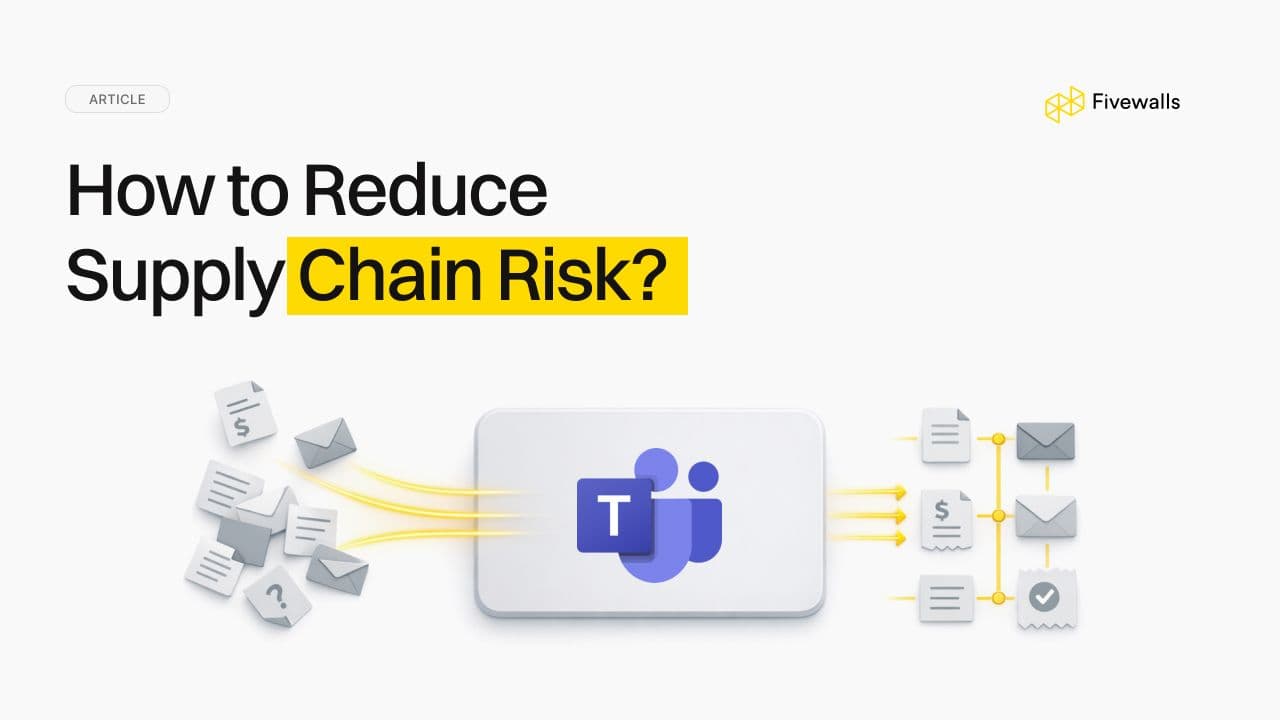
Does managing purchase requests feel like a chaotic mess? You've got requests buried in email chains, surprise invoices pop up out of nowhere, and a simple approval can take weeks, holding up important work.
For the straightforward stuff, Microsoft's tools like Power Automate and the Approvals app are a great fix. They can automate simple tasks and clean up the basics pretty well. However, when your company is larger, things become a mess.
You are attempting to abide by strict rules, seeking clearances on the part of three separate departments, and linking to outdated systems which simply refuse to cooperate.
It is at this juncture that you find that a one-size fits all tool is simply not going to work. You must have something constructed to meet your particular issues, and it must be within the MS Teams, where everybody is already busy.
How a Custom App Fixes the Real Problems
In large companies, this procurement chaos almost always comes down to a few core issues: tracking is a black box, approvals take forever, the finance team is flying blind, and none of the data connects to your main systems like SAP or Oracle. A custom-built solution is designed to fix these things.
It's especially good at handling messy, multi-step approval chains. Think about a global company: a request from the U.S. has totally different tax rules than one from Germany. Instead of trying to track this in some monster spreadsheet, the custom app is built to know those rules. It automatically sends the request to the right person, in the right country, for the right amount.
A Deeper Look: Security and Integration
And then there's the security part. If you’re in an industry that gets audited (like for SOX or HIPAA compliance), you know that a simple "approved" email isn't enough proof for anyone. A custom app builds the rules right in. All the data from Teams is securely stored in the background, usually in a SharePoint list or, for more complex needs, in Microsoft Dataverse.
This environment is protected by default with encryption both in transit and at rest. Using Microsoft Entra ID (formerly Azure AD), you can set up strict role-based access so only a manager in a specific department can approve a purchase over $10,000. It also keeps a perfect, unchangeable digital log of every step, so when auditors come asking, you have all the answers ready.
The other headache is getting it to work with your other big software, like SAP or Oracle. This connection isn't magic. It's just about using the right tool for the job. For most modern software, you can use a Power Automate Premium connector or Azure Logic Apps to build a secure bridge. If you're dealing with older or custom-made systems, developers can usually connect directly using REST APIs.
This link can be set up to be instant (like checking inventory right now) or to run in batches (like sending all of today's approved orders to finance at midnight). Plus, if the connection ever fails, the system is built to automatically try again. If it still can't get through, it alerts an administrator. A failed order doesn't just vanish; someone will know about it.
Making It Last: Growth and Maintenance
A custom app is also designed to grow. You can start small, proving it out in just one department. Once it's working well, that same app can be rolled out to other departments or even other countries.
Adding new features is also a clean, professional process. Modifications are constructed and tested in a distinct, secure process (through what programmers refer to CI/CD pipelines) so fresh modifications are executed without disrupting the running application to the rest.
The entire process is made possible due to proper planning, development, testing and the final production application being in different environments. This separation is what keeps the system stable and secure as it expands.
Who Actually Builds This?
Your internal IT team is probably already buried under a mountain of helpdesk tickets. Building an enterprise-grade system from scratch is a full-blown mission that needs people who live and breathe this stuff.
This is where a partner like FiveWalls comes in. We know the entire Microsoft platform, from building apps in Power Platform to locking down access with Entra ID. We start by sitting down with your procurement team and listening to what actually frustrates them. Then, we translate those problems into a system that works. We handle the complex tech part so your internal team can simply do their jobs.
Your 5-Step Playbook for Making It Happen
Here's how you can actually pull it off without losing your mind:
Step 1. Play Detective on Your Current Process
Before you do anything else, you need to know exactly what's broken. Grab a coffee and go sit with your procurement folks. Watch how they really work. Where do they get stuck? Find every single frustrating, manual step. This real-world intel is gold.
Step 2. Get Some Easy Points on the Board
You don't have to build the entire system in a day. Start small. Use the standard Power Automate tools to fix one or two really annoying, simple problems. This shows everyone you're serious and builds trust for the bigger project.
Step 3. Unleash the Bots and Connectors
Now for the really cool part. This is where you build the custom integrations that do all the heavy lifting. This is what finally kills the endless copy-pasting and makes the whole system feel seamless.
Step 4. Make It So Easy that They Want to Use It
If your team finds the new tool confusing, they'll go right back to their old emails. Adoption is everything. Plan for short, engaging training.
Step 5. Never Stop Tinkering
The day you launch is just the beginning. Use a tool like Power BI to build a simple dashboard to watch your key metrics. Are approvals getting faster? Listen to feedback from your users and keep improving the system as your business evolves.
The Bottom Line
Ultimately, the standard tools are perfect for standard problems. But large enterprises rarely have standard problems. They have a complex web of unique workflows, strict regulations, and clunky legacy systems.
A custom-built Teams solution is designed to navigate that specific complexity. It’s less about simply automating tasks and more about creating a single source of truth for your company's spending. It gives you the clarity to stop chasing down invoices and start making smarter financial decisions based on what's happening right now.
Would you like to rate this article?